@cryptohunter
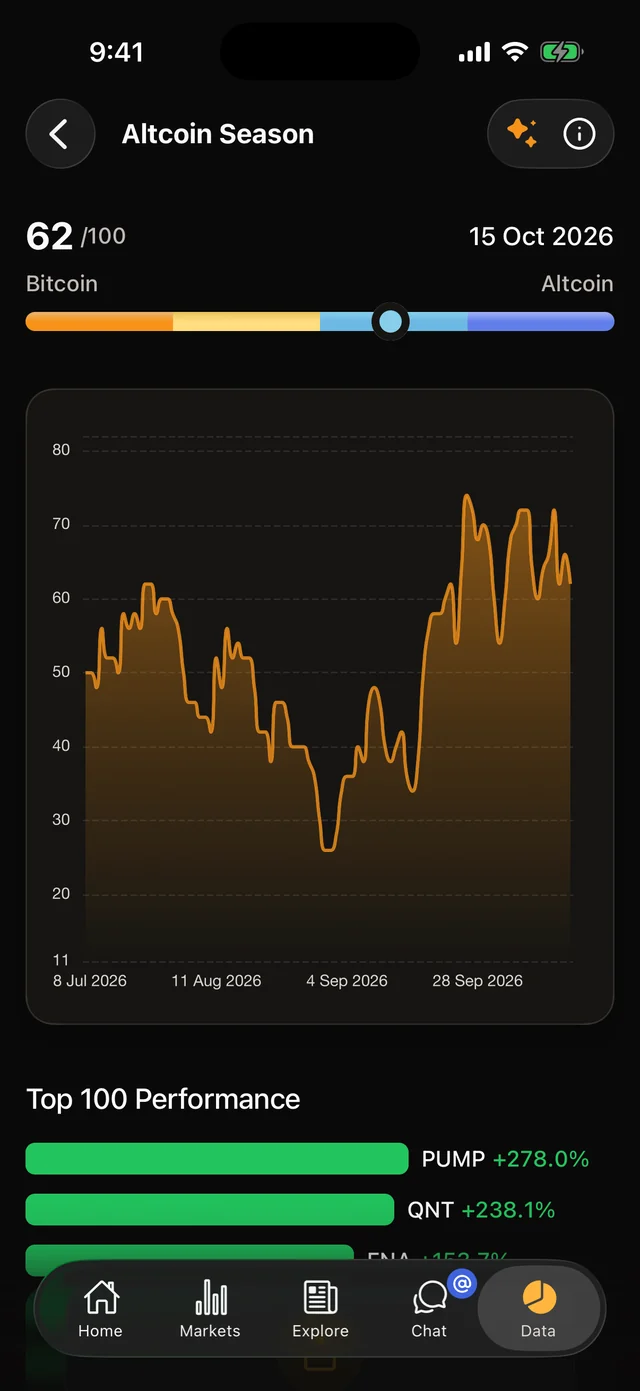
Altcoin index is above 60, I'm watching the list.
Blue badge
A blue Premium badge next to your name. Everyone sees it on your chat messages and your profile.
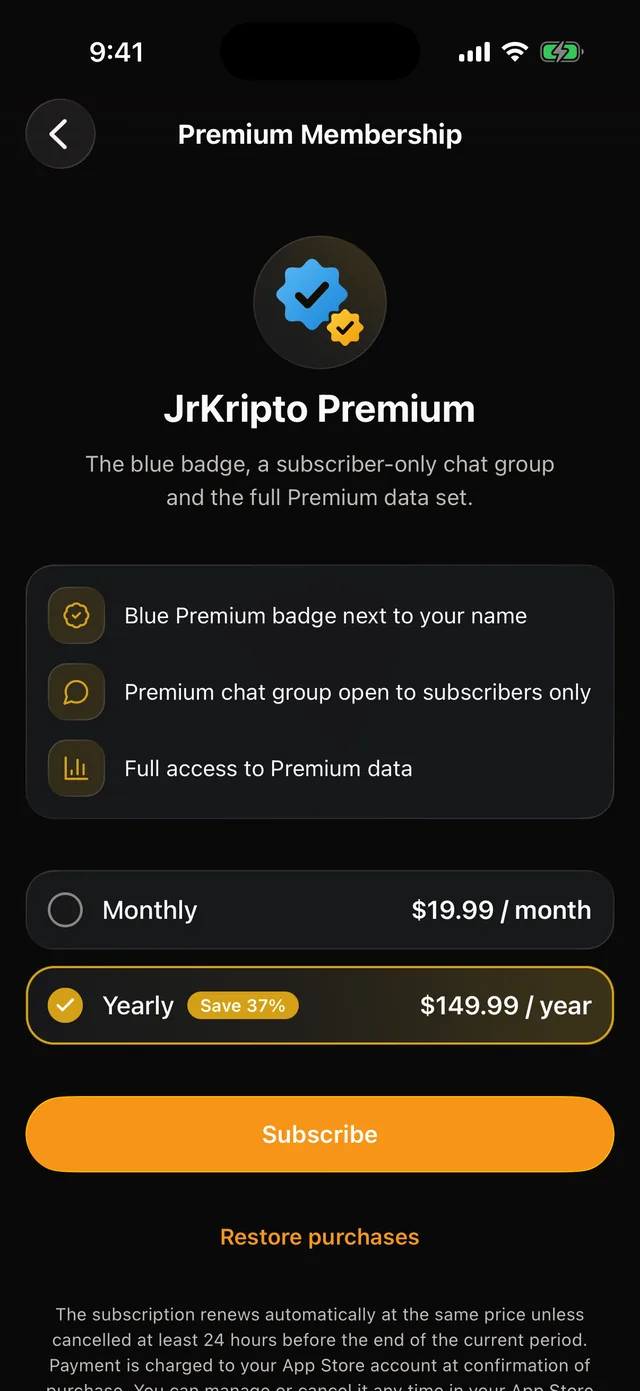
The blue badge, a chat group open to subscribers only and the full Premium data set. Subscribe in the JrKripto mobile app and use it on the web with the same account.


Payments are taken only through the App Store and Google Play.
Already Premium? Sign in
@cryptohunter
Altcoin index is above 60, I'm watching the list.
A blue Premium badge next to your name. Everyone sees it on your chat messages and your profile.
JrKripto Premium
Private chat group
Follow the market together in a group only Premium members can enter, and share your ideas.
Top 100 Performance
Full list in Premium
On the data pages: long histories, complete lists and Premium time ranges.
Download JrKripto for free from the App Store or Google Play.
Sign in with the JrKripto account you use on the web, or create a new one.
Choose the monthly or yearly plan from the Premium card on the home screen, or from Settings > My Account > Premium Membership.
Premium belongs to your account. It is on when you sign in to jrkripto.com and your other devices with the same account.
The JrKripto website does not sell subscriptions and never asks for card details. The App Store or Google Play takes the payment, and you manage your subscription from your store account.
There is a monthly and a yearly plan. The app shows prices in your store account's country and currency.
The subscription renews automatically at the same price unless cancelled at least 24 hours before the end of the current period.
Cancel or change your plan in the App Store or Google Play subscription settings.
No. You can subscribe only in the JrKripto mobile app, through the App Store or Google Play. When you sign in to the web with the same account, Premium features unlock here too.
On iPhone, go to Settings > your Apple account > Subscriptions. On Android, go to Google Play > Payments & subscriptions > Subscriptions. The "Manage Subscription" button on the app's Premium Membership screen takes you straight there.
Yes. Premium belongs to your JrKripto account, so it is on wherever you sign in with that account. You can manage the subscription only in the store you bought it from.
Install the app with the same store account and sign in to JrKripto. If Premium does not show, tap "Restore purchases" on the Premium Membership screen.
No. One store subscription makes one JrKripto account Premium at a time.
Scan the QR code with your phone's camera or pick your store.

