
Managing crypto assets in your own wallet also means taking responsibility for maintaining access to them. Hardware wallets keep the private keys that provide this access separate from your everyday phone or computer. However, buying a device alone does not resolve every security concern. Understanding what a hardware wallet is requires looking at how it works, how you back it up, and the consequences of the transactions you approve.
What Is a Hardware Wallet?
A hardware wallet is a physical device that protects the private keys used to sign crypto transactions. Your cryptocurrency does not sit inside it like files on a USB drive; records relating to your assets remain on the blockchain. The device provides a protected environment for using the keys that authorize transactions involving those assets. You can therefore think of a hardware wallet as a dedicated signing device for managing digital assets.
How it relates to hot and cold wallets
In a hot wallet, private keys are generally managed by software running on an internet-connected phone or computer. Cold storage describes the broader practice of keeping keys separate from online environments. A hardware wallet is one way to maintain this separation. However, regularly using the same device to authorize Web3 applications can change the risks associated with long-term storage.
Why the device screen matters
Many hardware wallets have a screen for reviewing transaction information and buttons or touch controls for approving requests. These features let you independently check the information shown by the application on your computer. If malware on the computer tries to replace a recipient address, checking the device screen may help you detect the change. This protection depends on you actually reviewing the information and on the device being able to display the relevant transaction details.
The Differences Between a Private Key, Recovery Phrase, and PIN
The security credentials you encounter when using a crypto wallet serve different purposes. A private key signs transactions, while a recovery phrase allows the wallet’s keys to be recreated. A PIN generally restricts access to the physical device in your possession. Understanding these differences makes it easier to respond appropriately if you lose your device or expose your backup.
What private and public keys do
A private key is a secret numerical value used in cryptographic operations; when displayed to a user, it may appear as a sequence of letters and numbers. A public key is mathematically related to the private key and is used to verify signatures. Depending on the network’s design, a wallet address may be derived from a public key or other structures; a public key and an address are not always the same thing. You can receive cryptocurrency at your address without sharing your private key.
The phrase “Not your keys, not your coins” highlights who controls the assets. When you hold a balance on an exchange, the service provider usually manages the underlying keys. Managing your own keys reduces this dependency, while making you responsible for backups and transaction security. Having control does not mean an incorrect transaction can automatically be reversed.
How recovery phrases and passphrases differ
A recovery phrase is a sequence of words that allows keys to be recreated in compatible wallets. The number of words and the backup method can vary between products, so you should not assume every wallet uses the same format. Some devices offer an optional passphrase that creates a separate wallet from the same recovery phrase. If you use this feature, you also need the correct passphrase during recovery; even a typing difference can lead to a different wallet.
| Security credential | Main purpose | Important consideration |
Private key | Signs transactions | Exposure to another person puts your assets at risk |
Recovery phrase | Recreates the wallet’s keys | Must be protected independently of the device |
PIN | Restricts access to the physical device | Does not stop someone who knows the recovery phrase |
Passphrase | Creates a separate wallet in supported systems | Forgetting it can result in losing access to that wallet |
How Does a Hardware Wallet Work?
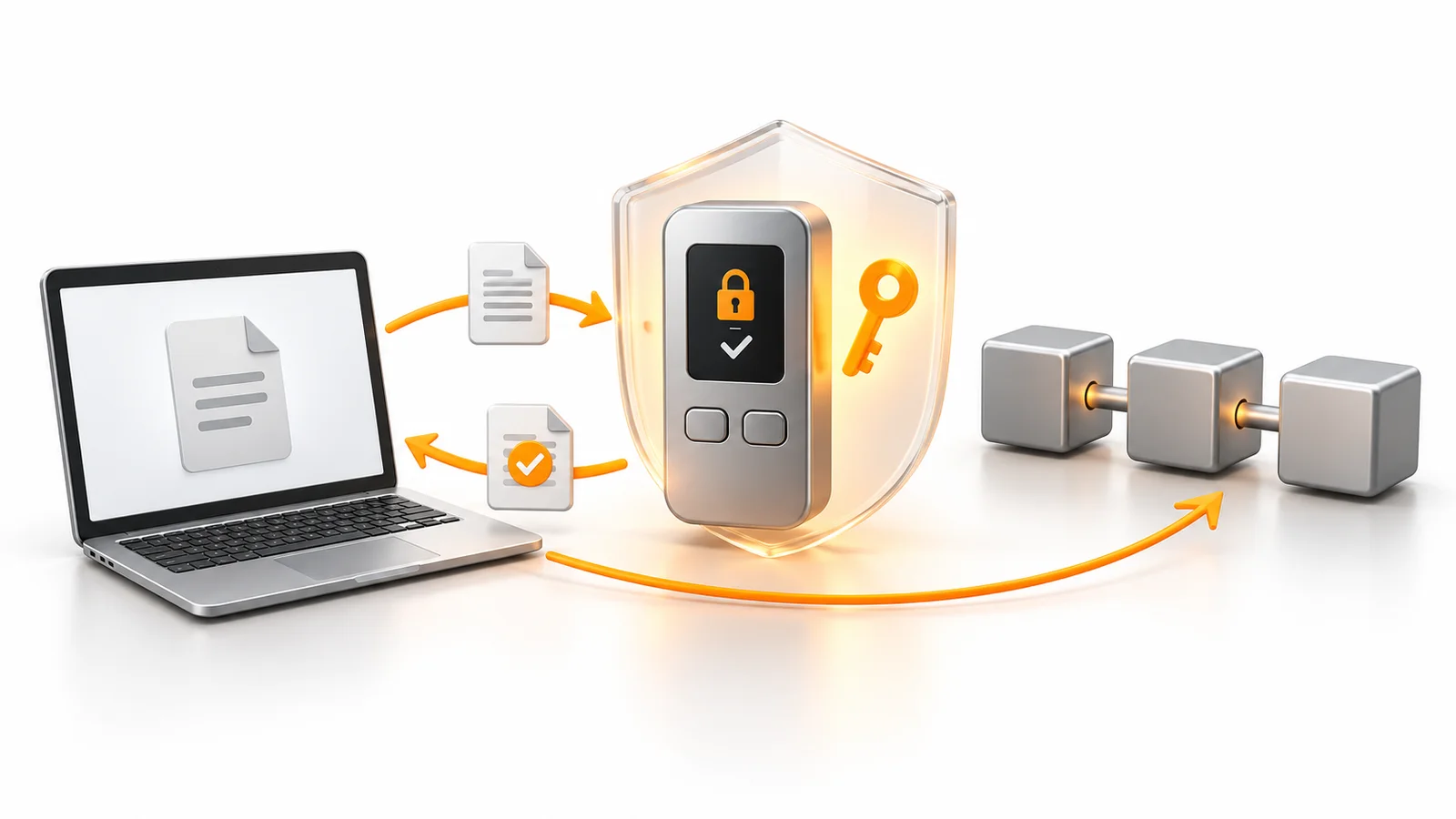
The main purpose of a hardware wallet is to handle signing separately from your computer or phone. During normal use, transaction data reaches the device, the device generates a signature after your approval, and the signed transaction is sent back out. This process does not require transferring the private key to your computer. Security still depends on the device’s design, software, supply chain, and your usage habits.
The connection between the application and the device
The wallet application displays your balance, prepares transaction requests, and helps broadcast signed transactions to the network. The hardware wallet handles signing, communicating through methods such as USB, Bluetooth, or QR codes. Some products use companion software called a “bridge” to enable communication between the browser and the device. This software is different from a cross-chain bridge that moves crypto assets between blockchains.
The steps involved in a transfer
The screens used to send cryptocurrency with a hardware wallet vary by application, but the basic process is similar. Transfer details are prepared first, then checked and signed on the device. Finally, the transaction is broadcast to the network and the confirmation process begins.
- Select the correct asset and network in the wallet application.
- Enter the recipient address, amount, and memo or tag if required.
- Check the address, amount, and transaction details displayed on the device.
- Approve the transaction on the device if the information is correct.
- Use the transaction ID to track the transfer in a block explorer.
Verifying the entire address is a safer habit than checking only its first and last characters. Particularly for a first transfer, you can send a small test amount while accounting for the platform’s minimum deposit requirements. Your device does not need to remain switched on or connected to a computer to receive cryptocurrency. Assets sent to an address you have already verified are recorded on the blockchain.
Does a Hardware Wallet Eliminate Web3 Risks?
Hardware wallets help protect private keys, but they do not assess the financial consequences of the transactions you sign. An authorization granted to a decentralized finance application may allow a smart contract to spend certain tokens. If that authorization is abused, an attacker may not need to obtain your private key. Offline security and smart contract security therefore need to be considered together.
Token approvals and disconnecting
Connecting to an application, granting permission to spend tokens, and signing a transfer are different actions. When granting a spending approval, check which token the contract can use, which contract receives permission, and what spending limit applies. Disconnecting from the application does not automatically revoke previously granted token approvals. Review unused approvals separately on the relevant network and revoke them when necessary.
Why blind signing is risky
Blind signing refers to situations where the data being approved cannot be viewed as meaningful transaction details. If the screen only displays information that is difficult to interpret, understanding the permissions you are granting becomes harder. Features that display readable transaction information can reduce this uncertainty, but they do not prove that an application is safe. Avoid approving a signing request you do not understand simply to complete a transaction.
What to Consider When Choosing a Hardware Wallet
When choosing a hardware wallet, consider its security approach and your everyday needs alongside its price. Support for an asset does not necessarily mean support for every network and application associated with it. Some operations may work in the manufacturer’s application, while others require compatible third-party software. Before purchasing, confirm support for your intended asset, network, and connection method in the official documentation.
When comparing devices, consider the following:
- Supported crypto assets and blockchain networks.
- How transaction details appear on the device screen.
- Security updates and the manufacturer’s support policy.
- How clearly backup and recovery procedures are explained.
- Connection compatibility with your phone or computer.
- Physical durability and ease of use.
Buying through the manufacturer’s official sales channel or a verified authorized reseller helps reduce supply-chain risks. Avoid second-hand devices, preconfigured products, or devices supplied with a ready-made recovery phrase. Intact packaging alone does not prove that a device is trustworthy. Follow the manufacturer’s authenticity checks and setup procedures as well.
Initial Setup and Moving Your Assets
Initial setup is a critical stage in using a hardware wallet securely. Download the official application from a verified source and follow the device’s instructions. After setting a PIN, complete the steps for creating and backing up a new wallet. If a backup verification feature is available, use it before transferring a substantial amount of assets.
Is importing an existing software wallet enough?
It may be technically possible to import your existing software wallet’s recovery phrase into a compatible hardware wallet. However, this does not eliminate the possibility that keys previously used in an online environment were already exposed. Creating a new wallet on the hardware device and transferring your assets to its new address separates them from the previous keys. Simply generating another address from the same old recovery phrase does not provide that separation.
How to protect your backups
Record your recovery phrase in the correct order and store it somewhere unauthorized people cannot access. Photographing it, emailing it, or uploading it to cloud storage can expose a backup intended to remain offline to online threats. Consider how your physical backup would withstand water, fire, or loss. A support representative does not need your recovery words to help you.
A password manager can help manage application or account passwords; digitizing a recovery phrase in the same way introduces a different risk. Do not store your PIN openly alongside the device or leave your backup somewhere easily accessible to others. If you use a passphrase, create a separate plan to prevent its loss. Make sure your chosen security measures do not unnecessarily complicate your own access.
What Happens If the Device Is Lost or Damaged?
Losing a hardware wallet does not erase the assets recorded on the blockchain. Access can be restored in a compatible wallet using the appropriate recovery backup and, if applicable, the passphrase. The wallet must support the backup standard and the relevant network. Follow the manufacturer’s official recovery instructions, and avoid unfamiliar recovery tools promoted through search results or messages.
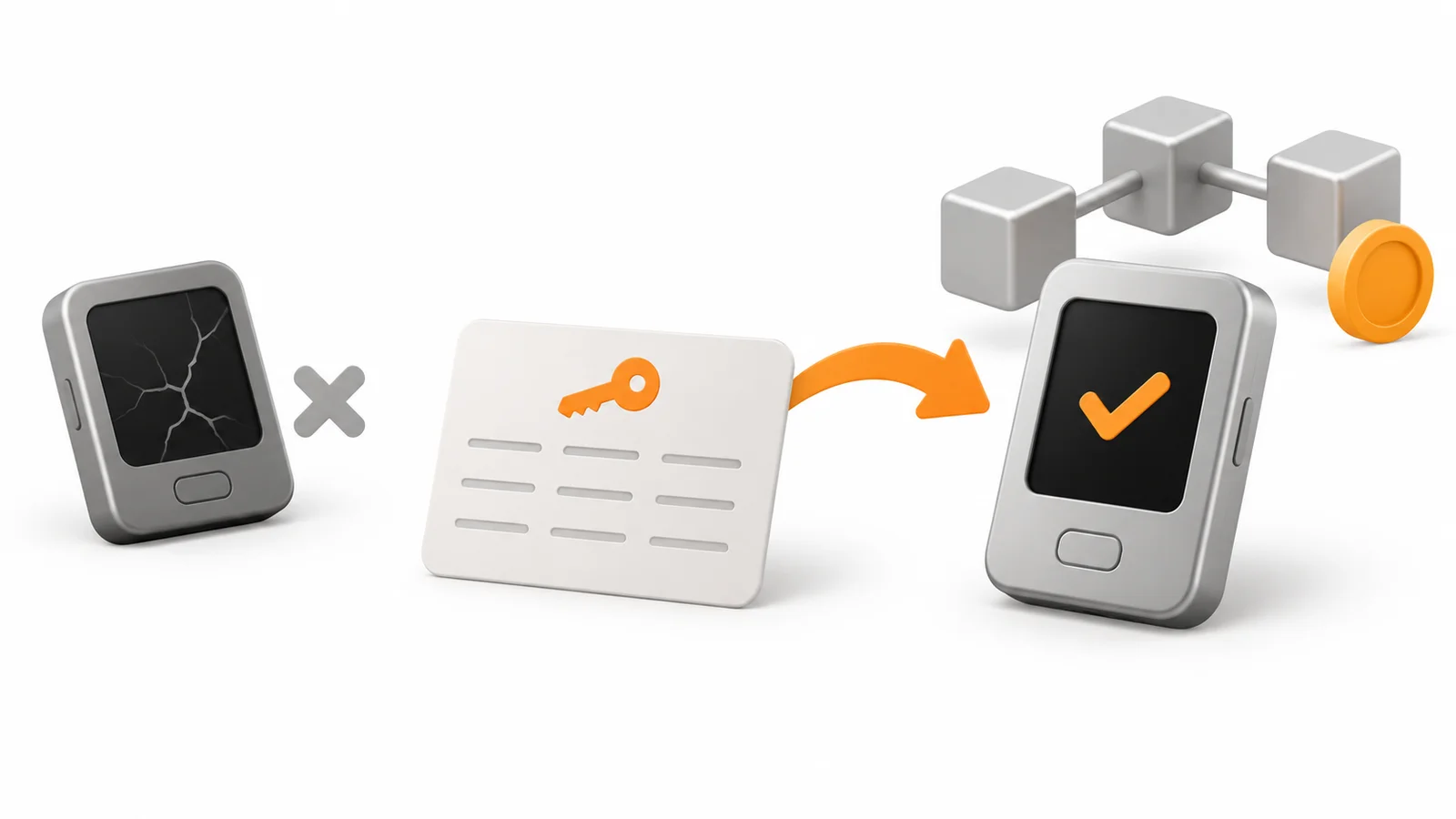
Losing a device and exposing a recovery phrase are different situations. If you believe someone else has seen your backup, changing the PIN does not provide sufficient protection. In that situation, you need to move your assets to a newly and securely generated wallet. During everyday use, obtain device updates through official channels and treat unexpected requests for recovery information with caution.
Frequently Asked Questions (FAQ)
Before switching to a hardware wallet, you may have questions about setup, supported assets, and the possibility of losing the device. Clarifying these points before purchasing can help reduce mistakes later. Below are answers to some of the most common questions.
- Is a hardware wallet difficult to use?: Once setup is complete, basic sending and receiving operations can usually be performed by following the application’s instructions. Backups, address verification, and understanding transaction permissions require the most attention.
- Which cryptocurrencies do hardware wallets support?: Supported assets vary by model and application. Check the network you intend to use as well as the coin or token itself.
- What is the main difference between a hardware wallet and a software wallet?: A hardware wallet manages keys and signing on a separate device. In a software wallet, keys generally reside in the software environment of a phone or computer.
- Will I lose my money if I lose my hardware wallet?: If you have all the required recovery information, you can restore access using a compatible wallet. Losing both the device and the necessary backup can permanently prevent access to your assets.
- What should I consider when buying a hardware wallet?: Official sales channels, supported networks, security updates, and a clear recovery process are important. Do not use devices that are already configured or supplied with a ready-made recovery phrase.
- Does every crypto investor need a hardware wallet?: The need depends on the amount held, how frequently the wallet is used, and individual security circumstances. Weigh the protection the device offers against the responsibilities of managing backups and using it correctly.
Managing your crypto assets securely depends on good habits as much as device selection. When setting up your own storage arrangements, review your backups, transaction confirmations, and application permissions together. Follow JrKripto’s guides for more information on wallet security and managing crypto assets.

