
When storing crypto assets, security involves more than the password you use to access your wallet. Where you keep the private keys that control your assets and how you approve transactions matter. A cold wallet refers to storage methods that protect these keys in an offline environment. Hardware wallets are common examples of this approach. However, buying a device alone does not ensure secure use; backups, recovery, and transaction checks also matter. This guide examines how cold storage works, the available methods, and the risks to consider.
What Is a Cold Wallet, and What Does It Protect?
A cold wallet keeps the private keys needed to manage crypto assets isolated from the internet. The aim is to make it harder for attacks targeting online devices to reach those keys. The term “cold” has nothing to do with physical temperature. It describes the separation of private keys from online systems.
Crypto assets are not stored inside the device
Bitcoin or Ethereum does not sit inside a hardware wallet as a file. Asset records exist on the relevant blockchain. The wallet manages the keys that let you transact with those assets. Turning off the hardware device does not erase your blockchain balance.
This distinction explains why losing a device does not always mean losing your assets. With the appropriate recovery information, you can restore access on another compatible device. Losing both the device and its backup creates a different situation. Without another way to access the wallet, you could permanently lose the ability to use your assets.
The relationship between private keys, public keys, and addresses
A private key is secret information used to sign transactions. Someone with access to that key may control the associated assets.
Cryptographic methods derive the public key from the private key. Addresses relate to public keys or spending conditions according to the network’s rules.
| Information | Main function | Sharing considerations |
Private key | Enables transaction signing | Must remain secret |
Public key | Helps verify signatures | Not a secret key, but sharing it may affect privacy |
Wallet address | Identifies the destination for assets | Can be shared to receive payments |
Recovery phrase | Recreates keys within a supported wallet structure | Must remain secret |
Knowing your address alone does not let someone spend your assets. However, on public blockchains, it may allow them to examine transactions associated with that address.
Spending security and transaction privacy therefore require separate consideration. Using a cold wallet does not automatically make your transactions anonymous.
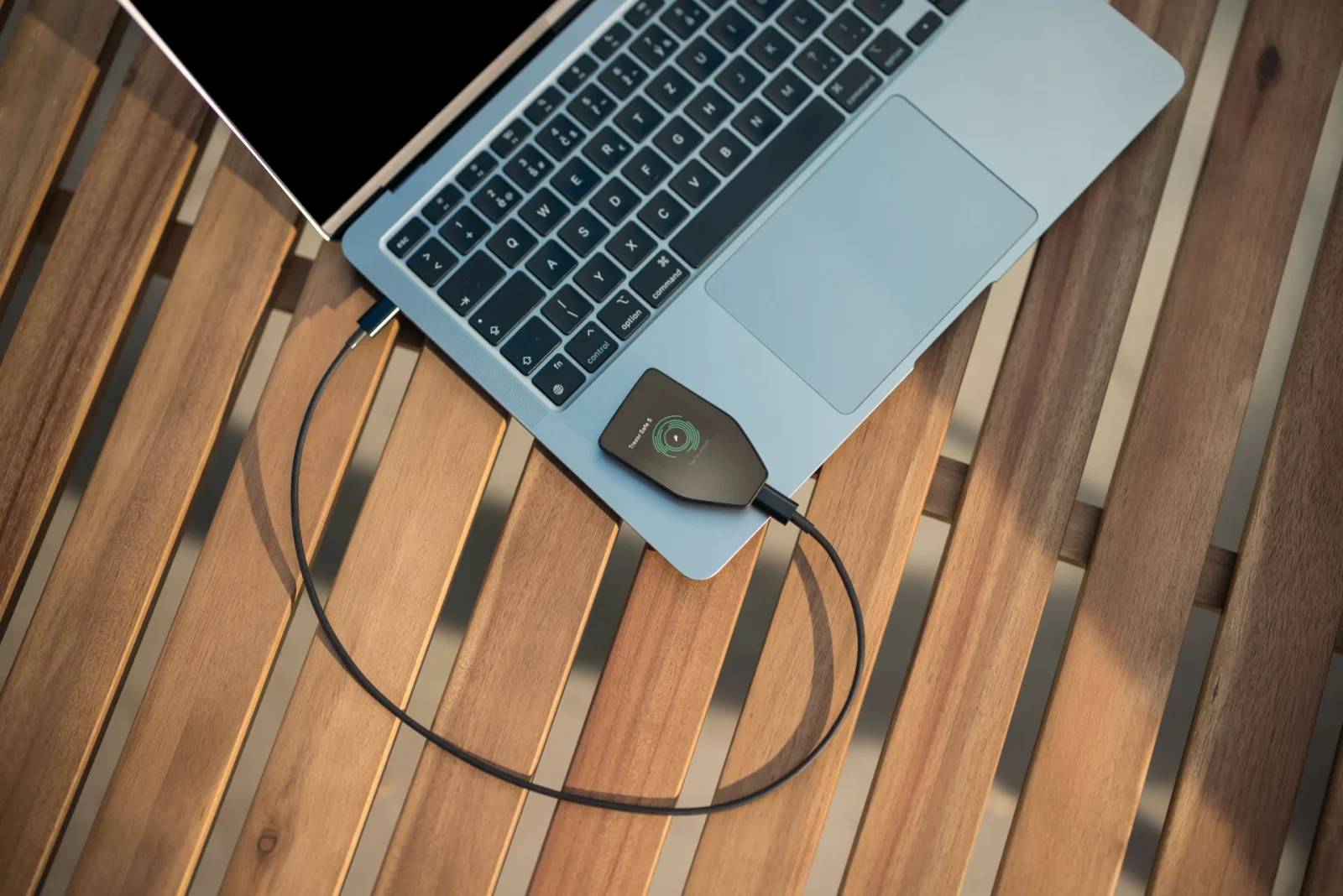
How offline signing works
Preparing, signing, and broadcasting a transfer involve separate stages. Cold storage moves the signing stage into the environment that protects the keys.
The general process works as follows:
- The user specifies the recipient address, amount, and network fee in an internet-connected application.
- The unsigned transaction passes to the device holding the keys.
- The user checks the transaction details displayed on the device.
- The device signs the approved transaction internally.
- The online device broadcasts the signed transaction to the network.
Under this arrangement, the internet-connected computer can broadcast the transaction without learning the private key. However, signing does not mean the network has confirmed the transaction. The relevant network must accept the transaction before it can be recorded on the blockchain.
Types of Cold Wallets and Their Features
Cold storage encompasses more than one device design. Specialized hardware, offline computers, and physical key records can serve different needs.
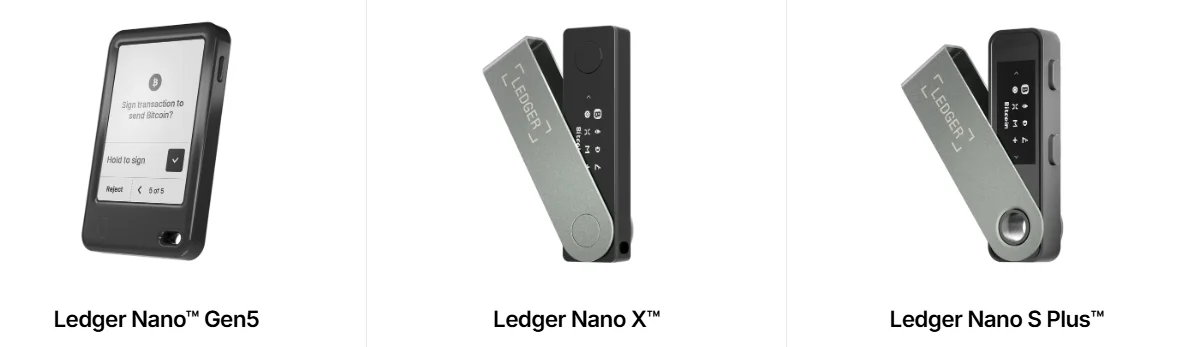
Hardware wallets
A hardware wallet is a physical device designed to generate and store keys and sign transactions. Many models provide a screen for transaction details and a physical approval mechanism. A PIN helps protect local access to the device. A recovery backup allows you to restore access after device failure or loss. Some models use specialized chips called secure elements. However, chip type alone does not determine security.
Display reliability, software design, update procedures, and users’ approval habits also matter. Key storage, the device screen, and transaction signing form separate security components. A USB or Bluetooth connection does not inherently mean the private key passes to the computer. The device can receive transaction data and return the signed result. Nevertheless, no connection method provides perfect security on its own. Review the supported transactions and the information the device can display.
The difference between a paper wallet and a physical backup
A paper wallet generally refers to a physical record of a private key and its associated address information. It may use text or QR codes. Writing down recovery words creates a backup of a modern wallet. This differs from a traditional paper wallet containing a single address and private key.
Paper does not require electronic components. However, it remains vulnerable to water, fire, tearing, fading ink, and unauthorized viewing. Security also depends on how the key was generated. Printing a key created on a malicious website does not make it safe.
Printer memory or files left on a computer can also expose confidential information. Mishandling change addresses when spending Bitcoin can create an additional risk of loss. A paper wallet may look simple, but using it requires technical care. New users should consider more than its low cost.
Air-gapped systems and other methods
Air-gapped systems use devices separated from direct network connections. Transaction data can pass between devices through QR codes or removable media. This approach still requires checking the accuracy of transferred data. The absence of a network cable does not eliminate the risk of approving an incorrect or malicious transaction.
Terms such as “sound wallet” may describe experimental methods that encode secret data as audio. However, an audio recording alone does not encrypt or secure the information. File corruption, unavailable decoding software, and compatibility problems can complicate recovery. These methods should not be treated as equivalent to standard backup options.
Multisignature systems may require approval from multiple keys. They can use cold keys, but multisignature functionality alone does not constitute cold storage. Recovery may require wallet configuration information alongside the keys. Bitcoin’s multisignature documentation therefore also addresses backing up information such as wallet descriptors.
Differences Between Cold and Hot Wallets
A hot wallet allows private keys to operate on an internet-connected device. Mobile and desktop wallet applications can fall into this category. However, not every wallet interface on a phone represents a hot wallet. An application can also display accounts whose keys remain on a hardware device.
Comparing access, usage, and risks
| Feature | Hot wallet | Cold wallet |
Key storage environment | Internet-connected device | Environment isolated from the internet |
Transaction signing | Usually through the application | Through an offline device or dedicated signer |
Everyday use | May provide faster access | May require additional checks and data-transfer steps |
Initial cost | Many software options are free | Hardware and backup costs may apply |
Prominent risks | Malware, fake applications, compromised devices | Lost backups, physical access, incorrect transaction approvals |
Common purpose | Frequent transfers and application interactions | Long-term storage and more controlled access |
This comparison does not mean hot wallets are always unsafe. Cold wallets likewise do not eliminate every risk.
Self-custody and exchange accounts also require separate consideration. An exchange storing assets in cold storage does not give customers control of the private keys.
Advantages and practical limitations
Cold storage’s main advantage is separating private keys from the online attack environment. Users may also retain direct control over storage and transfer decisions. That control brings responsibility for recovery. A centralized password-reset service may not exist to resolve a lost backup or transfer to the wrong address.
Making fewer transactions during long-term storage can reduce interactions requiring approval. However, preparing the device and reviewing details for each transfer can take time. Separating everyday funds from long-term holdings may help manage risks. Still, separating accounts is not the same as separating keys.
Accounts derived from the same recovery phrase may all face risk if that phrase leaks. Consider the additional backup responsibilities when setting up separate wallets.
Choosing a Cold Wallet and Setting It Up
When choosing a wallet, examine its recovery process alongside supported assets. A secure product needs a process you can follow correctly.
Network support and the transaction display
A device functioning as a Bitcoin wallet does not necessarily support every network. Ethereum wallet support also does not guarantee that every application will display every token.
Before choosing a device, check the following:
- Support for the networks and tokens you intend to use.
- Compatibility with your computer and phone.
- The ability to verify recipient addresses and amounts on the device.
- Its ability to explain smart contract transactions.
- The backup standard and recovery options.
- Security updates and official support documentation.
- Screen readability and ease of physical operation.
Do not assess network support solely by the token’s name. Versions of the same asset on different networks may have different transfer requirements. Transactions that the device cannot adequately explain require extra care. Do not approve an unfamiliar request simply because the application looks trustworthy.
Purchasing and verifying the device
Buying from the manufacturer’s official store or a verified authorized reseller helps reduce supply-chain risks. Check the reseller list on the manufacturer’s website. Inspect the packaging and follow the model’s official authenticity checks. An intact-looking box does not replace those checks.
When creating a new wallet, never use recovery words prepared by someone else. A prefilled recovery card or words supplied by a seller represent serious warning signs. Complete the setup through the official application, following the manufacturer’s instructions. For example, Trezor states that its devices have no default recovery phrase; the backup is generated during setup.
Your first transfer and routine checks
After setup, you can make a small test transfer before moving all your assets. Review network fees and any platform minimum withdrawal amounts beforehand. Do not check the recipient address only on your computer screen. If supported, verify it on the hardware device’s screen as well.
Malware can replace addresses during copying and pasting. Check the amount, network, and recipient address together. A successful small transfer does not automatically make later transactions safe. Repeat the checks for each new transfer. You do not always need to connect the hardware device to view your balance. Supported wallets can offer watch-only functionality to monitor accounts without signing authority.
Recovery Phrases and Secure Use
Protecting recovery information matters as much as protecting the device. A strong PIN does not remove the risks created by an exposed recovery phrase.
Differences between a PIN, recovery phrase, and passphrase
These security features serve different purposes:
| Security information | Main role |
PIN | Restricts local access to the device |
Recovery phrase | Recreates the wallet’s keys in a compatible system |
Passphrase | Combines with recovery information to derive a different wallet in supported systems |
Someone who knows the recovery phrase may gain access without your device or PIN. Backup formats and word counts vary by standard. A passphrase should not be treated like an ordinary application password. A different character or space can lead to a different wallet. If you use this feature, you need the correct passphrase alongside the recovery phrase. The manufacturer may be unable to reset a lost passphrase; enabling it without understanding its use increases the risk of losing access.
Storing the backup and checking recovery
Record the recovery words in the correct order. Photos, emails, or cloud notes can undermine the purpose of offline storage. Protect paper backups against water, fire, and wear. Metal backups may improve resistance to certain physical hazards, but they do not prevent unauthorized access. Multiple copies can reduce the likelihood that one event destroys every backup. However, each additional copy creates another access point that needs protection.
Verify the backup using the device’s official checking feature, if available. Do not enter recovery words into an unfamiliar website or application as a test. Splitting the words into parts using your own method may unexpectedly complicate recovery. If using a multi-share backup, learn the supported standard’s threshold and recovery rules. For long-term storage, also consider a secure access plan. Helping the appropriate people understand the process in case of illness or death does not require exposing secrets in everyday life.
Phishing, application permissions, and updates
A cold wallet does not automatically block phishing attempts that persuade you to share recovery words. Be cautious of links in messages claiming you must “verify your wallet” or that “your account will close.” Support staff do not need your recovery phrase. Use official applications and documentation rather than starting procedures through links in unsolicited messages.
Token spending permissions granted to decentralized finance applications create separate risks. Keeping the key on the device does not cancel permissions you have granted to a malicious contract. Disconnecting from a website does not automatically remove existing token approvals. Review permissions separately on the relevant network and revoke them when necessary.
Follow the manufacturer’s security announcements and obtain updates through official channels. Before updating, ensure that you can securely access your recovery backup. Resetting the device without verifying the backup can unnecessarily jeopardize access. Periodically check devices you have not used recently and inspect the physical condition of your backups.
What to Do After Device Loss or a Security Breach
Losing a device, losing a backup, and having a backup stolen create different situations. The appropriate response depends on which access methods remain secure.
Restoring access after losing a device
If you lose the device, you can recover the wallet on a compatible device using the correct backup. A passphrase or multisignature setup may require additional information. If someone steals the physical device, do not simply rely on the PIN and wait. After recovery, consider moving your assets to a wallet created with new keys. Check compatibility with the backup standard. A recovery phrase’s word count alone does not guarantee that every wallet will restore the same account.
What to do if the backup is lost or exposed
Even if the backup is missing, a functioning device may still provide access to your assets. Create another wallet with a new, verified backup and plan the transfer. If the device is also inaccessible, recovery may be impossible without a valid backup. The manufacturer cannot recreate keys it does not possess.
Changing the PIN is insufficient if the recovery phrase has been exposed. An attacker can recreate the same keys on another device. In that situation, create a wallet with new keys in a secure environment. Simply opening another account under the old recovery phrase does not resolve the key compromise.
Frequently Asked Questions (FAQ)
Below are answers to some frequently asked questions about cold wallets:
- How secure is a cold wallet?: It provides an important layer of protection by separating private keys from online devices. However, incorrect transaction approvals, exposed backups, and physical loss remain risks.
- What happens if I lose my cold wallet?: With valid recovery information, you can restore access on a compatible device. If you use a passphrase or multisignature setup, you will also need the relevant additional information.
- Do I need to connect it to a computer for every transaction?: No. Connection methods vary by model; phones, QR codes, or removable media may be used. An online connection is ultimately necessary to broadcast the signed transaction.
- Can I receive cryptocurrency while my cold wallet is switched off?: Yes. Transfers can arrive at your valid address on the correct network. The device does not need to be switched on for the blockchain to record the transaction.
- Are cold wallets only for Bitcoin?: No. Some models support multiple networks and tokens. Check the current support lists for your chosen device and application.
- What should I consider when buying one?: Examine the authorized sales channel, network support, device verification, and recovery options. Do not use a wallet supplied with a pre-prepared recovery phrase.
- How should I handle maintenance and updates?: Follow the manufacturer’s storage and usage instructions. Monitor official updates and check your backup before resetting the device or performing procedures that may require recovery. Before moving your crypto assets, check your device, recovery backup, and address verification process. Start with a small test transfer, then apply the same checks every time you move larger amounts.
Explore the JrKripto Guide series to learn more about other topics in crypto.

